For the longest time, I’d avoided going the Victron hardware route – they seemed pricey for the offering, and I wasn’t sure I could make good use of the functionality on Blue Opal. I experimented with running the Venus large image on a Raspberry Pi at one stage, while I was trying to get the Titan 180Ah battery to chat to me over VE.direct on a homemade cable and a USB CAN adapter; all of which ended in failure because I didn’t have sufficient knowledge of how to work with any of that!
July of last year though, I saw a GX (Mk1) at a good price, and figured that maybe it would make sense to have one to complement the MPPT 75/15 that I was buying to replace the previous solar controller. Turns out the vendor didn’t have a Mk1, and so they sold me a Mk2 at the Mk1 price – not going to complain about that.
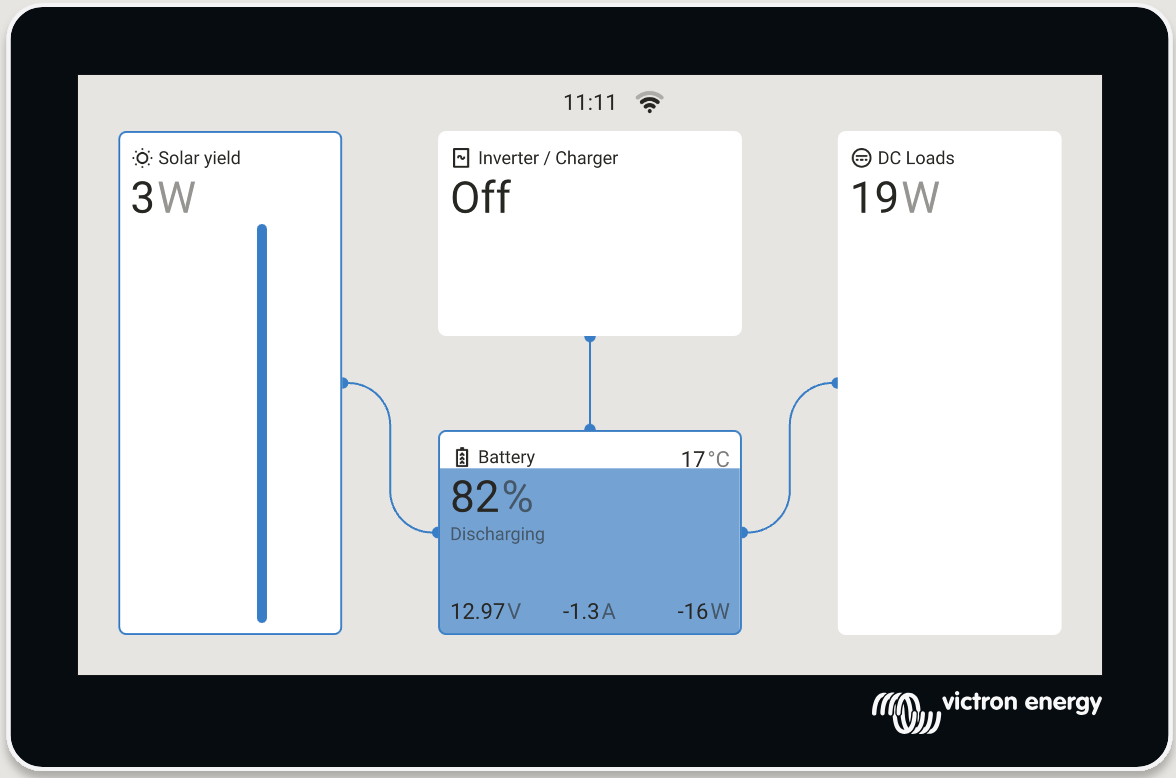
Well, a year later and I’m finally getting around to working with the Cerbo, and it’s actually pretty nice. Acquired a VE.direct cable from an Irish vendor (and it turned out to be an official Victron one – you can make one, but I don’t have the tools and I don’t need another crimper), and connected the 75/15 to port 1 of the Cerbo and it showed up instantly. Crimped myself a two-wire 8P8C cable to connect the Titan battery to the Cerbo (Titan is 5 and 6 for CAN H, CAN L, Cerbo is 7 and 8, straight through), tuned the port on the Cerbo up to 500 kbit/s CAN and all of that data started flowing too.
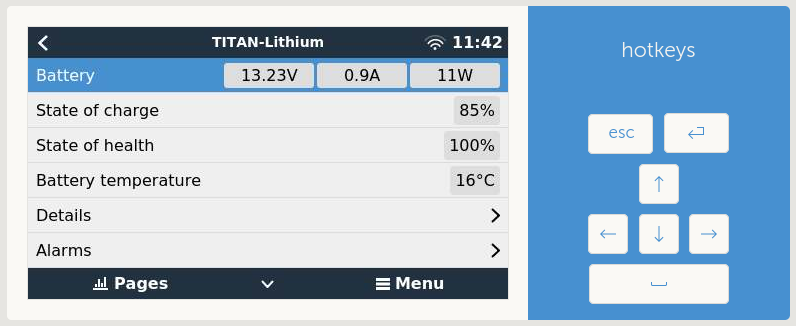
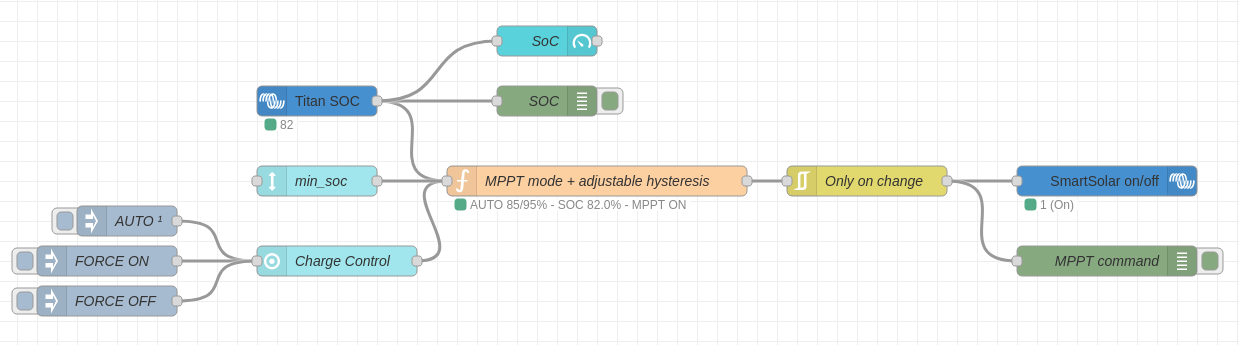
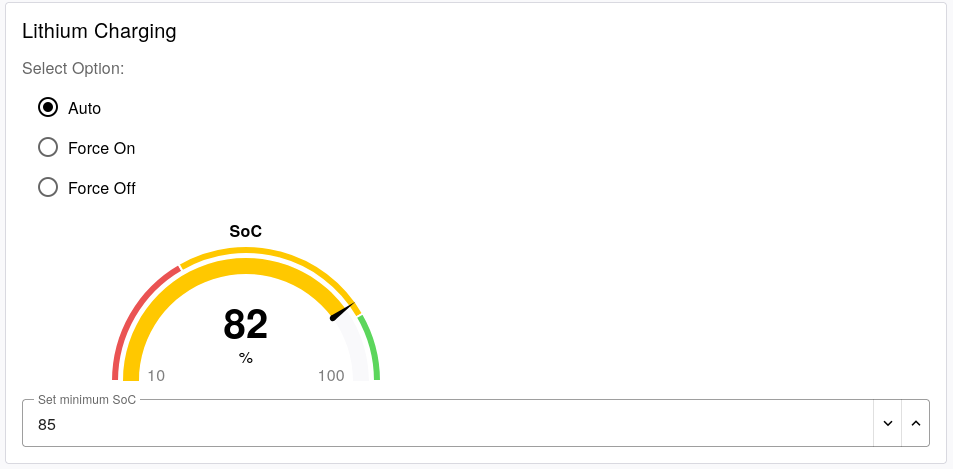
The more interesting thing that’s become available is I opted to run the Venus large image, which provides Signal-K and Node-RED integration on the GX. Node-RED makes it easy to automate the solar controller, so that it runs a charging cycle on a hysteresis of 80% – 95% ; take the battery up to 95% so that the cells don’t stay at 100% all the time, and don’t enable charging again until the battery reports an 80% state of charge. There’s also a set of manual inputs in a tri-state so that I can force charging on, off, or leave it on auto. All tested, and it all works. All credit where it’s due, the flow was designed by ChatGPT after I provided the constraints. Now I’ve seen how it’s done, the hardest part would have been writing the hysteresis functionality in Javascript – and the LLM picked up a few edge cases that I hadn’t thought about initially.
I’ll probably still need to do a deeper discharge occasionally, but I’ll work that out later. Not sure I want to automate that, as the timing could be inconvenient.